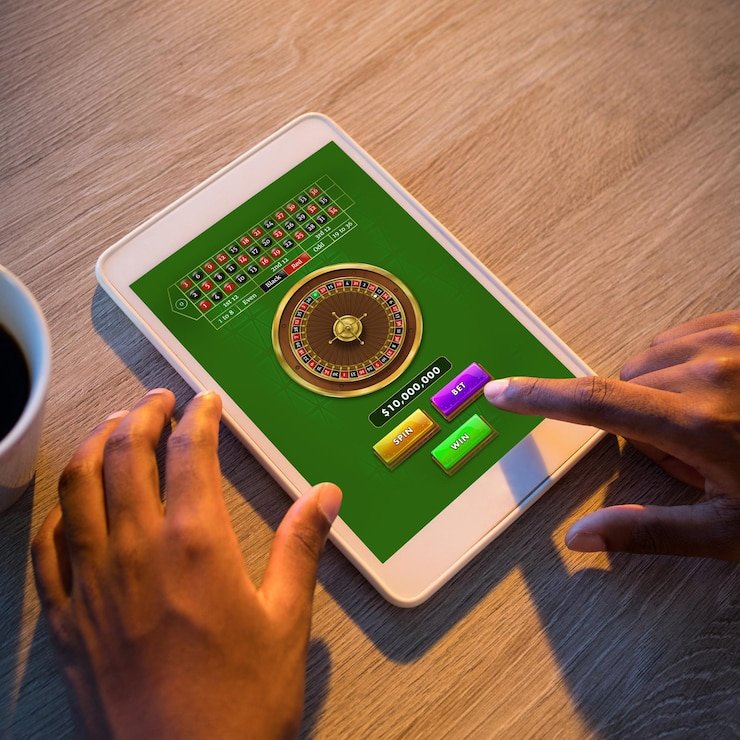
The 666pkr mobile experience runs through your browser — open 666pkr on any modern mobile device and your account, game lobby, and wallet are right there without a separate download. Whether a dedicated app build is currently available for your device is something you can verify directly on the site after login, where any published install path or browser shortcut option will be shown.
If something is not loading correctly on your mobile browser, or you are unsure whether a native app build is currently offered for your device, our support team is the fastest way to get a straight answer. You can reach us through the live chat on the site, or by email — both channels are accessible from the Help section in your account. The support team can also walk you through the published device guidance for your phone model, and help recover access if you are locked out of your account on mobile.
Live Chat Support
Reach the support team directly from the Help section inside your account. They can confirm whether a native app build is currently published for your device and guide you through any browser access issue you are facing.
Email Support
For non-urgent app access questions — including account recovery on mobile or questions about device compatibility — email support is available. Check the Contact page in your account for the current address and expected response process.
Published Device Guidance
The Help section in your account holds any published install or browser-shortcut guidance for this platform. If an official app build is released, the steps will appear there first — it is the right place to check before asking elsewhere.
ACCESS TRUST CHECKS
Staying Secure on Mobile
Mobile access on any platform comes with its own set of checks worth doing before you log in. On 666pkr, the right starting point is always the published domain — 666pkr — so you are on the correct page and not a copy. Your account credentials are yours alone; the support team will never ask for your password. If you share a device, use the sign-out option after each session. And if you lose access to your account on mobile, the published recovery path in the Help section is the only steps we can support — third-party recovery tools are not something we can verify.
Verify the Domain
Always open 666pkr directly in your browser address bar. Check that the domain matches exactly before entering your login details — this is the single most reliable way to confirm you are on the correct site.
Review Device Guidance
Published device and browser guidance for this platform is kept in the Help section of your account. Review it before attempting to install any shortcut or external file, as it reflects the current state of what is officially offered.
Protect Your Credentials
Your login details — email, password and any verification step shown during sign-in — should not be shared with anyone. If you receive a message asking for these details, report it through the live chat before acting on it.
Use the Published Recovery Path
If you cannot access your account on mobile, the recovery steps shown in the Help section are the only process we can support. Follow those steps exactly; do not use any third-party tool or link that is not from the published domain.
WHAT THE APP COVERS
Inside the 666pkr Mobile Experience
Opening 666pkr on a mobile browser brings you into the same lobby available on desktop — the game categories, account wallet, and navigation menu are all rendered for a smaller screen. From there you can reach the slots section, live casino tables, and the sportsbook where cricket markets including PSL and international fixtures are listed. Your account dashboard, wallet balance, and the transaction record are reachable from the top menu. The Help section, where published device guidance and any official app-install steps are posted, sits in the same menu. We have not confirmed biometric login, push notifications or offline access for this platform; those capabilities are shown only if the published guidance in your account lists them.
MOBILE PAGE BEHAVIOUR
How the Mobile Layout Works
The mobile layout of 666pkr is built around a few consistent behaviours you will notice as soon as you open the lobby on your phone. Navigation stays compact so the game rail stays in view, and account actions are reachable without scrolling back to the top. These are the page-level behaviours you can verify yourself on any supported mobile browser.
Responsive Game Rail
The lobby game rail — covering slots from Pragmatic Play and PG Soft, live tables, and crash titles like Crash Dynamite and Crash Wildspin — scales horizontally on mobile so you can scroll through categories without losing your place in the account menu.
Account Menu in Reach
Your wallet, deposit route and transaction record stay in the top navigation on mobile. Switching between your account page and the lobby does not require a full page reload — the menu persists as you move between sections.
Game Launch on Touch
Titles from the site's catalogue — including table games like Roulette Wildcard and Holdem Cutthroat — open directly in the browser on tap. No intermediate download screen appears for browser-based play; the game frame loads in the same window.
Help Section Accessible
The Help section, where published device guidance and any current app-install path are posted, is reachable from the mobile menu without logging out. Check there first if the layout behaves unexpectedly on your device.
THREE ACCESS STEPS
Mobile Access in 3 Steps
Getting into your 666pkr account on mobile takes three straightforward steps using any modern browser on your phone. No app store visit is required for browser-based access, and no file needs to be downloaded to reach the lobby. If an official app build or browser shortcut option is published for your device, the steps for that will appear in your account's Help section — follow those instructions rather than any external source. The process below covers the browser route, which is available to all account holders where local law and eligible regions permit access.
Open the Current Site
Type 666pkr into your mobile browser address bar. Confirm the domain is exact before proceeding — this is your only verified entry point to the platform.
Check Browser Compatibility
The site is designed for current versions of Chrome and Safari on Android and iOS. If the layout does not render correctly, check the published device guidance in the Help section of your account for the current compatibility notes.
Sign In Securely
Enter your registered email and password on the login screen. Follow any additional verification step shown on that screen exactly as prompted — the fields and instructions there are the published process for your account.
Verify App Availability
Once logged in, open the Help section from the top menu to see whether an official app build or home-screen shortcut is currently published for your device type. That section reflects the current state of what is officially offered.
DEVICE COMPATIBILITY
What to Check Before You Log In
Browser-based mobile access on 666pkr works across a range of devices, but there are a few things worth confirming on your side before you sit down to a live table or a crash game session. The list below covers the checks that matter most — none of them require a download, and all of them can be confirmed in under a minute.
Browser Version
Use an up-to-date version of Chrome on Android or Safari on iOS. Older browser versions may not render the game lobby or account menu correctly — update through your device's app store if the layout looks broken.
Screen Layout
The lobby is designed for portrait and landscape orientations on standard smartphone screens. Tablet access works through the same browser route; the layout adjusts automatically to the wider screen without a separate configuration.
Account Requirements
A registered and verified account is required before any game in the lobby — including slots, live tables or crash titles like Crash Dynamite — can be launched on mobile. The account setup steps are shown on the registration page.
Currently Supported Devices
The published device guidance in the Help section of your account is the right place to check which specific devices and OS versions are currently confirmed for this platform. That section is updated when the supported list changes.
Connection Stability
Live casino tables — including titles like Roulette Wildcard — stream video in real time. A stable mobile data or Wi-Fi connection will give you a cleaner experience; the game will still load on weaker connections but video quality may adjust.
APP QUESTIONS ANSWERED
Frequently Asked Questions About the 666pkr App
These are the questions we get most often about mobile access and the 666pkr app. Each answer reflects what is currently confirmed for this platform — where something depends on your device or account state, we point you to the place inside your account where the current information is shown.
Is there a 666pkr app available for Android or iOS?
Whether a native app build is currently published for Android or iOS is shown in the Help section of your account after login. Browser-based access through 666pkr is available on both platforms without a separate download, where local law and eligible regions permit.
Do I need to download an APK file to use 666pkr on mobile?
No APK download is needed for browser-based access. Open 666pkr in Chrome or Safari, sign in, and the full lobby is available. If an official APK is published for your device, the download link and install instructions will be in the Help section of your account — do not use APK files from external sources.
Can I access my account wallet and payment options on mobile?
Yes. Your account wallet, deposit and withdrawal routes — including Easypaisa, Raast and Bank Transfer where available — and your transaction record are all reachable from the top menu on mobile. The payment options shown there reflect what is currently active on your account.
Which games can I open through the mobile browser?
The mobile browser lobby includes slots from Pragmatic Play and PG Soft, crash titles such as Crash Dynamite and Crash Wildspin, live tables including Roulette Wildcard, and table games like Holdem Cutthroat. Game availability may vary by region and is shown in the lobby after login.
What should I do if the 666pkr site does not load correctly on my phone?
First, confirm the domain is exactly 666pkr — a mistyped address is the most common cause. Then check that your browser is up to date. If the issue continues, the published device guidance in your account's Help section covers known layout issues by device type. Live chat support can assist further.
Does the 666pkr mobile experience support cricket betting?
The sportsbook section, accessible from the mobile lobby menu, includes cricket markets covering PSL and international fixtures. Availability depends on local law and the regions where access is permitted. The current markets are listed inside the sportsbook section of your account after login.
 Live / Mobile